ATS Resume Format: What It Is and How to Get It Right
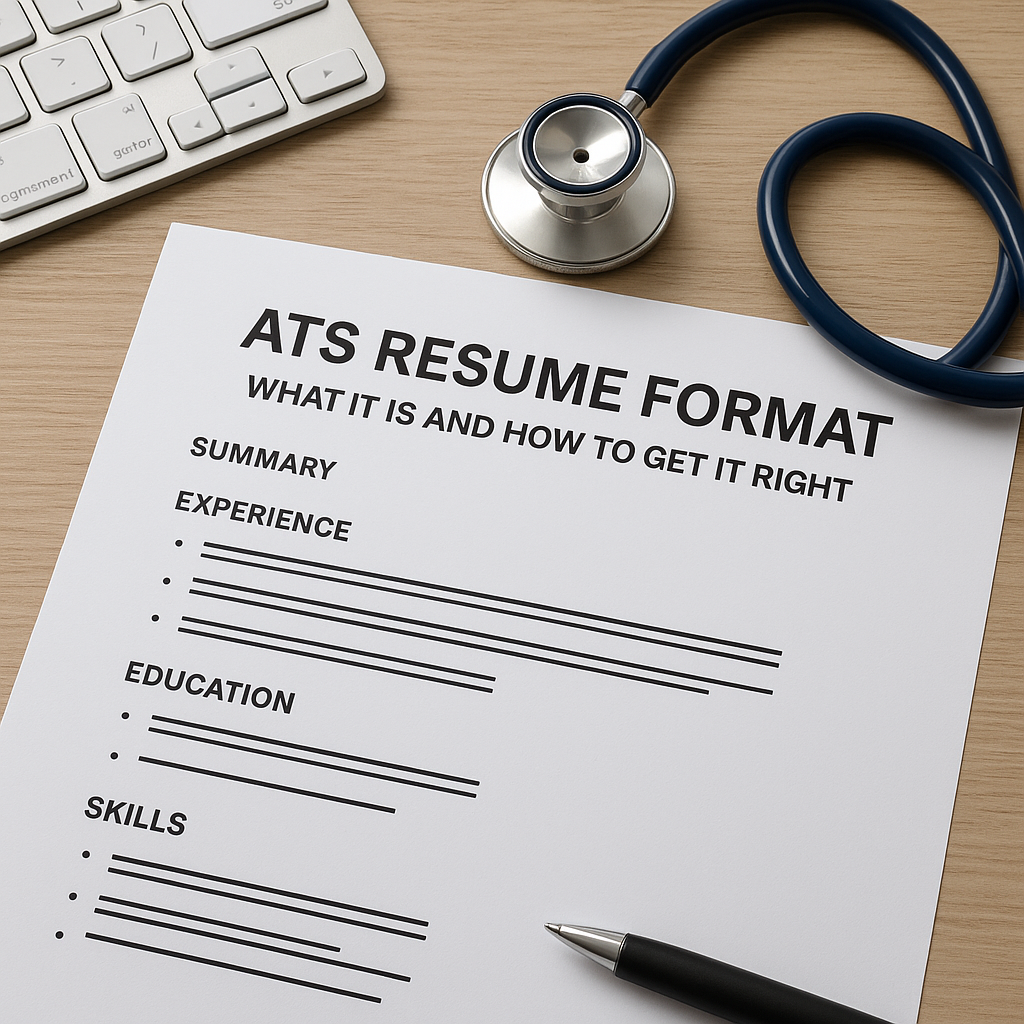
An ATS resume format is a simple, single-column resume with standard section headings (Summary, Experience, Education, Skills), a common font such as Arial or Calibri, no tables or graphics, and keywords taken from the job description. This format lets applicant tracking systems read your resume correctly, so recruiters can find it when they search.
- Use one column and standard section headings.
- Choose a common font such as Arial or Calibri.
- Avoid tables, text boxes, images and icons.
- Mirror keywords from the job description.
- Check your resume with an ATS checker before applying.
Quick answer: An ATS resume format is a simple, single-column resume with standard section headings (Summary, Experience, Education, Skills), a common font like Arial or Calibri, no tables or graphics, and keywords taken from the job description. This format lets Applicant Tracking Systems read your resume correctly so recruiters can find it. Download our free ATS format checklist or start with an ATS-friendly template.
Introduction
Many job seekers still believe a beautifully designed resume is what gets noticed. But most mid-size and large employers now collect applications through an Applicant Tracking System (ATS), and a resume that looks great to you can come out scrambled on the other side. Understanding the ATS resume format is what makes sure your experience actually reaches the recruiter.
In this guide you'll learn what an ATS is, see a before-and-after example of a non-ATS vs ATS-friendly resume, and get a free checklist you can use before every application.
What Is an ATS?
An Applicant Tracking System is software employers use to collect, store, and search job applications. When you apply online, your resume usually goes into the ATS, which parses it — breaks it into fields like name, job titles, skills, and education. Recruiters then search and filter those fields. Jobscan's research on Fortune 500 career sites has found that nearly all of them use an ATS, and in India most IT services companies, banks, and large employers do too.
How ATS Works
The ATS reads your resume's text, assigns it to sections, and makes it searchable. Recruiters search by skills, tools, and job titles, and many systems also rank applicants by how well they match the job description. If the ATS can't read part of your resume — because it's inside a table, a text box, or an image — that information effectively doesn't exist for the recruiter's search.
Understanding ATS Resume Format
An ATS-friendly resume isn't just about content; it must follow formatting rules that allow software to read it in the right order. Here are the core components:
Clean Formatting
Use a clear, single-column layout. Avoid design elements like side columns, icons, and graphics. Stick to standard fonts like Arial, Calibri, or Times New Roman.
Relevant Keywords
Recruiters search the ATS using the skills and titles from their job posting. Using those same terms in your resume helps it appear in their searches.
Clear Section Titles
Use traditional headings like "Work Experience," "Education," and "Skills." Creative headings like "My Journey" or "What I Bring" can confuse the parser.
Before and After: Non-ATS vs ATS-Friendly Resume
Here's what the difference looks like in practice. The content is the same person's experience — only the format and wording change.
Before: Designed Resume (Not ATS-Friendly)
- Two-column layout with a coloured sidebar holding contact details and skills
- Profile photo and icons for phone, email, and LinkedIn
- Skills shown as star ratings and progress bars (e.g., "Excel ★★★★☆")
- Creative headings: "My Story", "Where I've Been", "Superpowers"
- Name and phone number placed in the document header
- Vague bullets: "Responsible for social media and marketing work"
What the ATS reads: Text from both columns gets mixed together line by line, the skill bars and icons disappear entirely, contact details in the header may be missed, and "Superpowers" isn't recognised as a Skills section. The recruiter sees an incomplete, jumbled profile — or doesn't find it in a search at all.
After: ATS-Friendly Resume
- Single column, top to bottom, in Calibri 11 pt
- Name, phone, email, city, and LinkedIn as plain text at the top of the body
- Standard headings: "Summary", "Experience", "Education", "Skills", "Certifications"
- Skills written as text: "Google Analytics, SEO, Meta Ads Manager, Canva, Excel (pivot tables)"
- Specific, keyword-rich bullets: "Grew organic Instagram reach by 40% in 3 months through a weekly content calendar and SEO-optimised captions"
What the ATS reads: Every section is parsed in the correct order, every skill is searchable, and the bullets contain the exact terms from the job description ("SEO", "content calendar", "Google Analytics").
Side-by-Side Comparison
| Element | Non-ATS Resume | ATS-Friendly Resume |
|---|---|---|
| Layout | Two columns, sidebar | Single column |
| Contact details | Header or sidebar with icons | Plain text at top of body |
| Skills | Rating bars, stars, icons | Comma-separated text list |
| Headings | Creative ("Superpowers") | Standard ("Skills") |
| Graphics | Photo, icons, charts | None |
| Bullets | Vague duties | Action verb + keyword + result |
| File | Image-heavy or scanned PDF | Text-based PDF or DOCX |
Want to skip the reformatting? Every one of our ATS-friendly resume templates already follows the "after" format.
Why ATS Format Matters
You may have seen the claim that "75% of resumes are never seen by a human." That figure is widely repeated but traces back to an old marketing claim with no published research behind it. The real issue is more practical: recruiters search the ATS, and they can only find and read what the system parsed correctly.
The Employer's Perspective
A single job posting can attract hundreds of applications. Recruiters rely on ATS search, filters, and screening questions to build a shortlist quickly. A resume that's correctly parsed and uses the job's language is far more likely to show up on that shortlist — and to look complete and professional when it's opened.
Key Elements of an ATS-Compatible Resume
1. Simple Structure
Use a single-column layout. Avoid tables, text boxes, columns, and excessive formatting.
2. Relevant Keywords
Take skills, tools, and job titles from the job description and include the ones you genuinely have — in your summary, skills section, and experience bullets.
3. Contact Information
Place your name, phone number, email, city, and LinkedIn URL at the top of the document body, in plain text.
4. Employment History
List your experience in reverse chronological order with job title, company name, and dates (MM/YYYY), followed by achievement-focused bullets.
5. Skills Section
Add a dedicated skills section listing hard skills (tools, technologies, certifications) as plain text. Soft skills are better demonstrated inside your bullets than listed.
6. Cover Letter
Many ATS store your cover letter alongside your resume, and recruiters often read it once you're shortlisted. Use the same keywords and a simple format there too.
Common Mistakes to Avoid
1. Overly Complex Formatting
Non-standard fonts, multiple columns, and decorative elements can cause the ATS to read your resume in the wrong order or skip sections.
2. Forgetting Keywords
If the job asks for "financial modelling" and your resume only says "Excel work," you won't match the recruiter's search.
3. Using Headers and Footers
Some ATS ignore information in the document header or footer. Keep your contact details in the main body.
4. Not Tailoring Your Resume
Adjust your summary, skills, and top bullets for each job description. A generic resume matches fewer searches.
5. Wrong Length
Freshers and candidates with under 5 years of experience should keep to one page. Two pages is fine for more experienced candidates — as long as everything is relevant.
Free ATS Resume Format Checklist
Run through this list before every application. Download the printable PDF checklist.
Layout and File
- Single-column layout (no side columns or sidebars)
- No tables, text boxes, icons, photos, or skill-rating bars
- Contact details in the main body, not the header/footer
- Text-based PDF or DOCX, named Firstname-Lastname-Resume
Fonts and Headings
- Arial, Calibri, or Times New Roman, 10–12 pt
- Standard headings: Summary, Experience, Education, Skills, Projects, Certifications
- Plain round or dash bullets
Content Order
- Contact details at the top
- Experience in reverse chronological order with dates (MM/YYYY)
- Freshers: Education and Projects above Experience
- One page for freshers and under 5 years' experience
Keywords
- Skills and tools from the job description (only ones you have)
- Keywords used inside bullets, not only in the Skills list
- Abbreviations written in full once, e.g., Search Engine Optimization (SEO)
- Summary title matches the role you're applying for
Final Checks
- Bullets start with action verbs and include numbers where possible
- No spelling or grammar errors
- ATS score of 75+ in our ATS Resume Checker
Example: A Marketing Graduate's Resume Makeover
This is an illustrative example of how the changes above work together.
Imagine a recent marketing graduate applying for a digital marketing role. Her original resume used a two-column design template with icons and skill bars, and described her internship as "handled social media."
Revision Highlights
- Keywords: She added terms from the job description that matched her real experience — "SEO," "content creation," and "Google Analytics."
- Structured formatting: She moved to a single-column ATS-friendly template and removed icons and rating bars.
- Clear sections: She renamed creative headings to standard ones so every section is parsed correctly.
Outcome
The same experience, now readable and searchable, scores far higher against the job description — and when a recruiter opens it, every detail appears in the right place.
Practical Tips for Building Your ATS Resume
- Start from an ATS-tested template: Choose one from our resume templates so the format is handled for you.
- Use standard headings: "Work Experience," "Education," "Skills."
- Tailor keywords for each job: Mirror the job description's wording where it's true for you.
- Check before you submit: Run your resume through our ATS Resume Checker and aim for 75+. Not sure what that number means? Read What Is an ATS Score? (And How to Get Above 75).
- Proofread: Typos in skill names (e.g., "Javscript") can stop a keyword from matching.
Common Misconceptions About ATS
1. "ATS only cares about keywords"
Keywords matter, but only if the ATS can read them. A keyword hidden in a graphic or table may never be parsed.
2. "A beautiful resume will get noticed"
Design can impress a human reader, but only after the resume is found. A clean format gets you found first.
3. "All ATS are the same"
Workday, Taleo, SuccessFactors, Greenhouse, and others parse differently. A simple, standard format is the safest way to work well across all of them.
FAQs
What is the best resume format for ATS?
The reverse-chronological format in a single-column layout works best for most candidates. Freshers can use the same format with Education and Projects placed above Experience.
Should I use PDF or Word for an ATS resume?
Most modern ATS read both text-based PDFs and DOCX files. Follow the job portal's instructions if it specifies a format, and never upload a scanned or image-only PDF.
Are Canva resume templates ATS-friendly?
Many design-focused templates use columns, icons, and text boxes that ATS struggle to read. If you use one, choose a single-column design and test it with an ATS checker before applying.
Can an ATS read tables and columns?
Some newer systems handle simple tables, but many older ones read columns line by line across the page, mixing your content. Avoiding tables and columns is the safest choice.
What font is best for an ATS resume?
Use a standard font such as Arial, Calibri, Helvetica, or Times New Roman at 10–12 pt for body text.
How do I know if my resume is ATS-friendly?
Upload it to an ATS Resume Checker along with a job description. It will flag formatting problems and missing keywords, and give you a match score to improve.
Conclusion: Making Your Resume Stand Out
Mastering the ATS resume format makes sure your experience is read correctly and found by recruiters. Keep the layout simple, use standard headings, and mirror the job description's keywords.
Start with one of our professional ATS-friendly templates, build your resume in the free Resume Builder, and check it with the ATS Score Checker before you apply.
Last updated: October 2026.
About the author
Priya Dubey
Content Writer25 years of experience in SEO content writing
Skilled Content Writer with 25 years of experience crafting SEO-optimized articles, blogs, and copy that drive organic traffic and convert readers.