PDF vs Word Resume: Which Format Is Better for ATS?
Should you send your resume as a PDF or Word file? Find out which format works best with ATS and how to avoid getting filtered out before a human sees it.
Introduction
In today's competitive job market, the format of your resume can significantly impact your chances of landing an interview. As you prepare to submit your application, you might wonder: PDF vs Word resume: which format is better for ATS? The answer isn't as straightforward as it may seem. Both formats have pros and cons, especially when it comes to Applicant Tracking Systems (ATS), used by many employers to filter resumes before they reach human eyes.
ATS software adheres to specific criteria for parsing resumes. Understanding these nuances can be pivotal for your job search success. From ensuring the right keywords are included to selecting the appropriate format, this guide offers critical insights and actionable tips to help you optimize your resume for ATS, including using our AI Career Assistant for tailored advice.
Understanding Applicant Tracking Systems (ATS)
Understanding how Applicant Tracking Systems function is essential for crafting a resume that stands out. ATS are designed to filter and rank applications based on criteria set by employers. They analyze resumes for keywords, phrases, and formatting.
The Basics of ATS
- Keyword Search: ATS scans for specific terms reflecting the job description.
- Structured Formatting: Standard layouts help ATS recognize sections like experience, education, and skills easily.
- File Format: ATS compatibility can vary depending on the system.
According to the Bureau of Labor Statistics, around 95% of companies utilize ATS in their hiring rounds. Understanding how they work gives you an edge in tailoring your resume effectively.
PDF vs. Word: The Technical Differences
Before diving into ATS compatibility, it's crucial to understand the technical differences between PDF and Word formats.
PDF Format
- Pros: Preserves the layout and design; looks professional; less likely to contain viruses.
- Cons: Some older ATS may not parse PDFs effectively.
Word Format
- Pros: Universally recognized by ATS; easy to edit and modify; generally more ATS-friendly.
- Cons: Formatting can be altered when opened on different systems, leading to potential misalignment.
Understanding these distinctions will help you make an informed choice when sending out job applications.
ATS Compatibility: The Word Format
Using Word format for your resume typically provides better compatibility with most ATS.
Why Word is ATS-Friendly
- Ease of Parsing: Most ATS can recognize and read .docx and .doc files without issue.
- Simplicity in Formatting: Using standard fonts (like Arial or Times New Roman) and conventional layouts ensures clarity.
- Editability: Makes it easier to customize your resume for different job applications.
Real-World Example
For example, when Sarah, a marketing professional, applied for multiple jobs, she created her resume in Word format. Sarah strategically incorporated keywords from each job description, knowing her Word document would be easily parsed by ATS. As a result, she received interview invitations from prestigious companies.
ATS Compatibility: The PDF Format
While PDF resumes can look more visually appealing, their ATS compatibility is less straightforward.
Pros and Cons of PDF for ATS
- Pros: Maintains original formatting across all devices; professional appearance.
- Cons: Some ATS can struggle with parsing sections correctly, which can lead to missed keywords.
Search Statistics
According to a survey by Indeed, about 30% of recruiters indicated they prefer receiving resumes in PDF format. However, they also advise candidates to inquire about submission formats directly when possible to avoid compatibility issues.
Real World Examples: The Impact of Format
To showcase the real-world implications of choosing the right resume format, let's look at an anecdotal example.
Case Study: John the Software Developer
John, a software developer, initially submitted his resume in PDF – not recognizing that the ATS for his desired position had parsing issues with that format. Consequently, keywords from his resume were not easily read, resulting in rejection from multiple job applications.
After switching to a Word resume and tailoring it according to each job description, he received multiple interview requests. John's experience underscores the importance of format selection in the job application process.
Common Misconceptions About Resume Formats
There are several common misperceptions about resume formats that can hamper your job search.
Misconception #1: PDF is Always Preferred
While PDFs have advantages in maintaining formatting, they may not be compatible with all ATS. Always check the employer's requirements first.
Misconception #2: Length is More Important than Format
A well-formatted resume focuses on clarity and the relevance of information. Length matters significantly less if your format isn't ATS-friendly.
Misconception #3: Design is Key
While a creative design can make your resume visually appealing, it could confuse ATS. Stick to simple, structured layouts.
Tips for Creating an ATS-Friendly Resume
Crafting an ATS-friendly resume is not just about format; it's about strategic presentation. Here are actionable tips to guide you:
- Use Keywords: Incorporate specific phrases and skills that align with the job description.
- Stick to Standard Headings: Use common headings like "Education" and "Work Experience" for easier parsing.
- Avoid Graphics and Images: ATS may not recognize visual elements and can misinterpret them.
- Keep It Simple: Use traditional fonts and clear layouts.
- Save in the Correct Format: When in doubt, go with a Word document unless otherwise instructed by the job posting.
Conclusion & Key Takeaways
In the discussion of PDF vs Word resume: which format is better for ATS, the evidence points to Word being the safer option for most candidates. PDFs are visually appealing but can lead to parsing errors in older ATS systems. Tailoring your resume format, alongside applying strategic keywords and a simplified layout, can greatly enhance your chances of getting noticed. Consider using our ATS Resume Checker to evaluate your resume's compatibility.
Key Takeaways:
- Use Word format for better ATS compatibility.
- Always review job posting guidelines for format preferences.
- Invest time in customizing your resume for each application.
Ready to optimize your resume for success? Build your resume today, or check out our free resources for more tips!
FAQ
1. Which format is more professional: PDF or Word?
While PDFs maintain formatting and look more polished, Word documents are more ATS-friendly. Always check job requirements.
2. Can ATS read resumes with images or graphics?
No, ATS often struggle to parse images or complex formatting. Stick to simple text.
3. How often should I update my resume?
Regular updates are crucial, especially after acquiring new skills or changing job roles. Aim for updates every 3 to 6 months.
4. Which file format is safer from viruses?
PDFs are generally safer as they are less prone to carry viruses compared to Word documents.
5. What keywords should I include in my resume?
Incorporate keywords from the job description that reflect your experience and skills. Focus on skills, qualifications, and industry-specific terms.
Social Copy: Confused about PDF vs Word resumes? Learn which format works best for ATS and elevate your job search strategy! #CareerAdvice #JobSearch
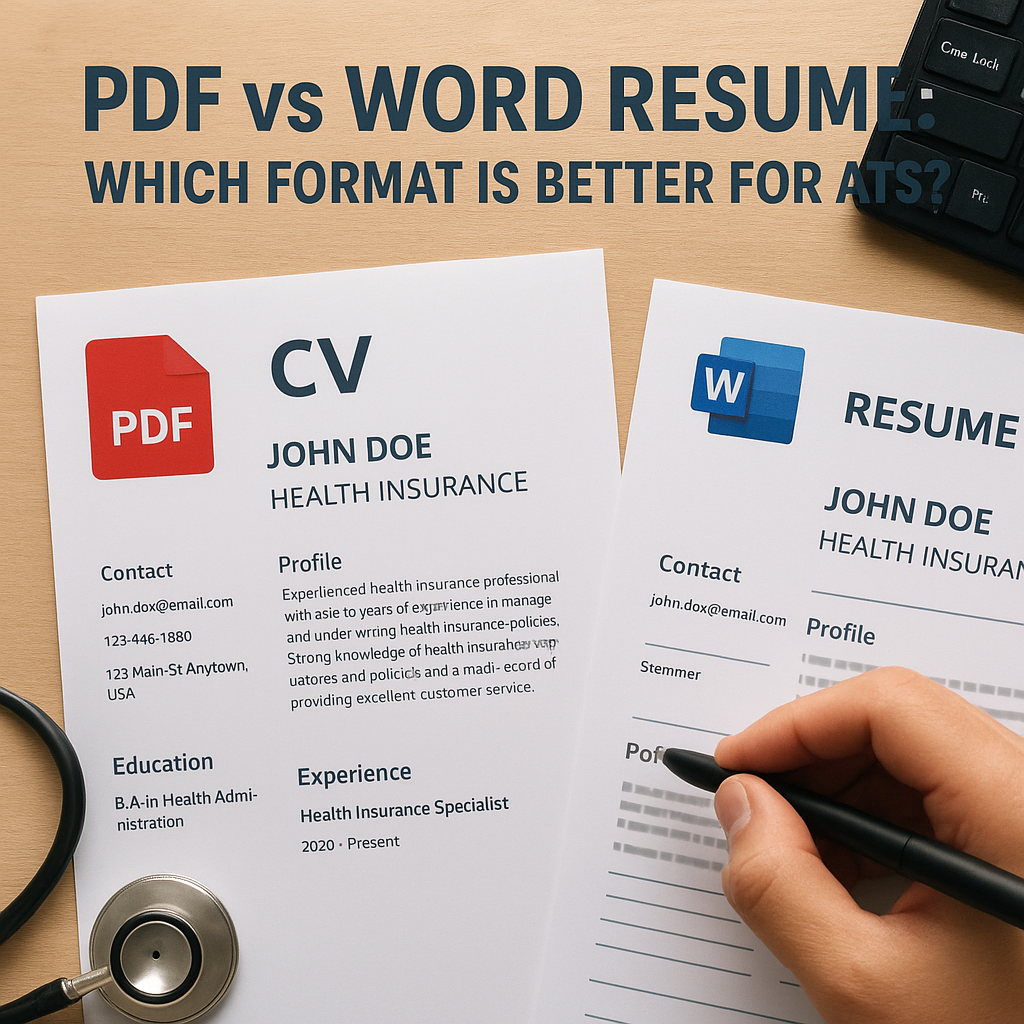
Suggested Image ALT Text: Comparison of PDF and Word resume formats highlighting ATS compatibility.